Dayslot
Your to-dos and your calendar, in one calm place.
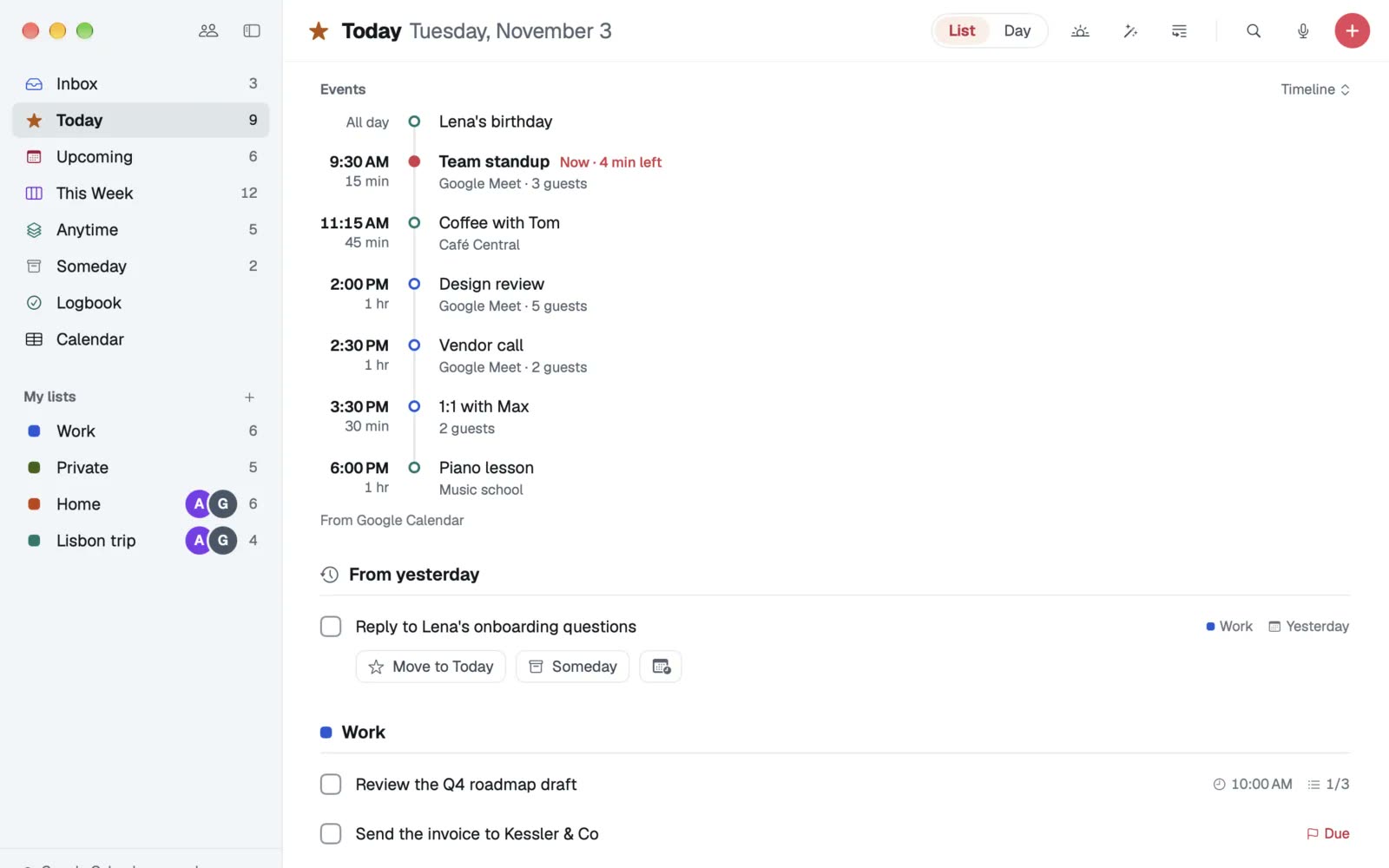
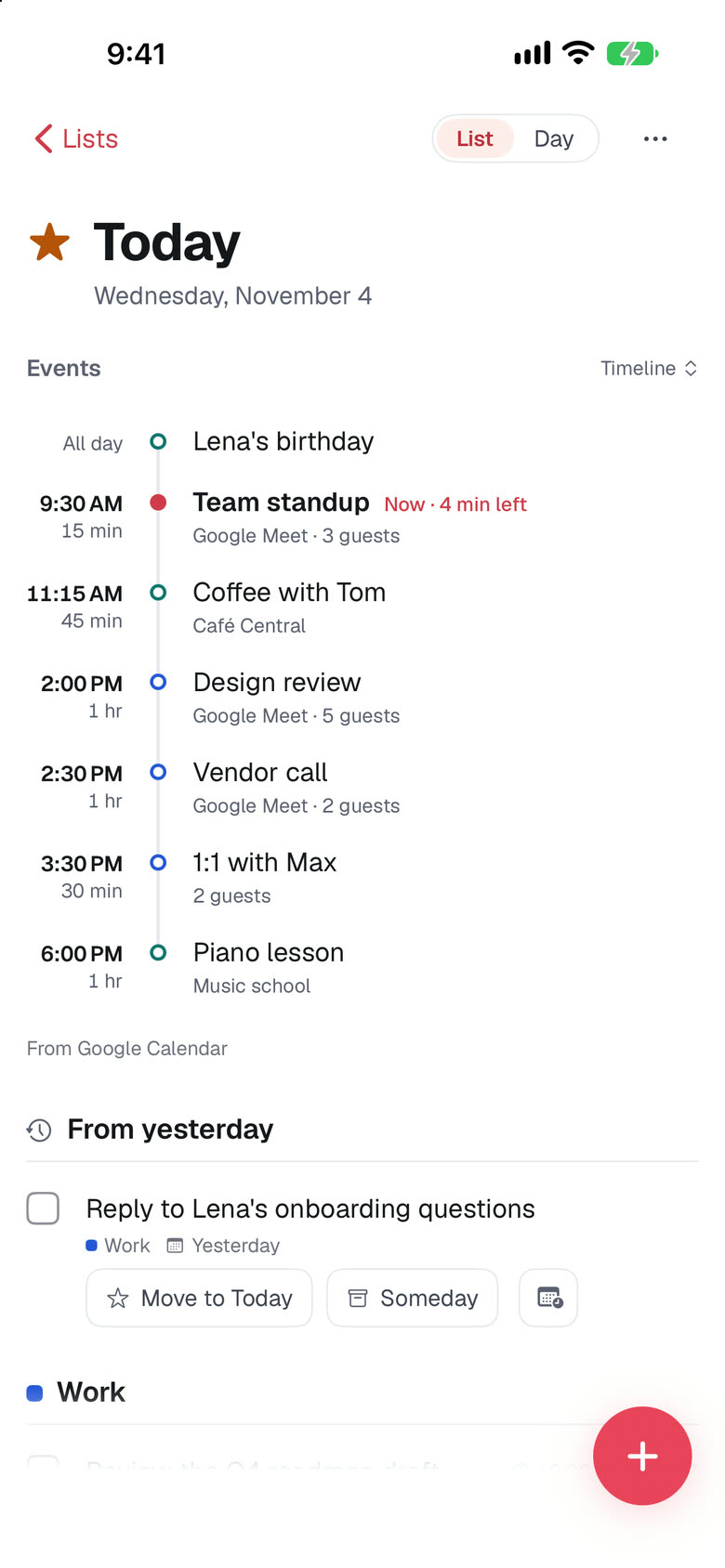
Dayslot is a to-do app that knows your calendar. Today shows your meetings and your to-dos side by side, so you see what really fits into the free time of your day. It runs natively on iPhone, iPad, Mac and Apple Watch, with widgets, Siri and Shortcuts, and is live on the App Store.
- Client
- Dayslot (Applicure product)
- Category
- To-do & calendar app for Apple devices
- Year
- 2026
- Services
- Websites & appsAI automation
By the numbers
4
Apple platforms from one SwiftUI codebase: iPhone, iPad, Mac, Watch
13
languages, in the interface and in plain-language quick add
2,400+
automated tests across app, sync API and web
1,261
real phrases in the quick add test set
The challenge
Tasks in one app, time in another
Most people keep to-dos in one app and meetings in another, and become the bridge themselves: copying tasks into the calendar to give them a time. A good fix has to feel calm, work offline, sync across every Apple device and never put calendar tokens on a server.
What we built
Native on every Apple device, local-first underneath
We built one SwiftUI codebase for iPhone, iPad, Mac and Apple Watch on a shared Swift package for models, parsing and sync. Every device keeps a full local SQLite copy and syncs through a self-hosted PowerSync and Postgres backend in the EU. Calendar accounts are read directly on the device.
Highlights
What makes it work
Write it the way you'd say it
"Call Mia tomorrow at 3pm #Work" - date, time, list, repeats and deadlines are understood while you type, on the device.
Your day next to your calendar
Google Calendar, Outlook and Microsoft 365 or Apple Calendar, side by side with your to-dos in Today, Upcoming and a full calendar.
Plan my day
Fits your to-dos into the free time between meetings as time blocks. Nothing changes until you apply the plan.
Works without an account
Everything runs offline and without sign-in. Sync and shared lists start when you want them.
Every Apple surface
Widgets, Apple Watch, Siri and Shortcuts, Controls, Focus filters, Live Activities and a This Week board on iPad and Mac.
Email to Dayslot
Forward an email to your personal address and it becomes a to-do, with the date taken from the subject.
Inside the product
Next project
Juice
Liquidity tools for every PumpSwap pool.